Turning household coordination into a shared, self-running system
I designed and built a wall-mounted family command center that brings meals, schedules, photos, chores, and allowance into one calm, always-visible experience.
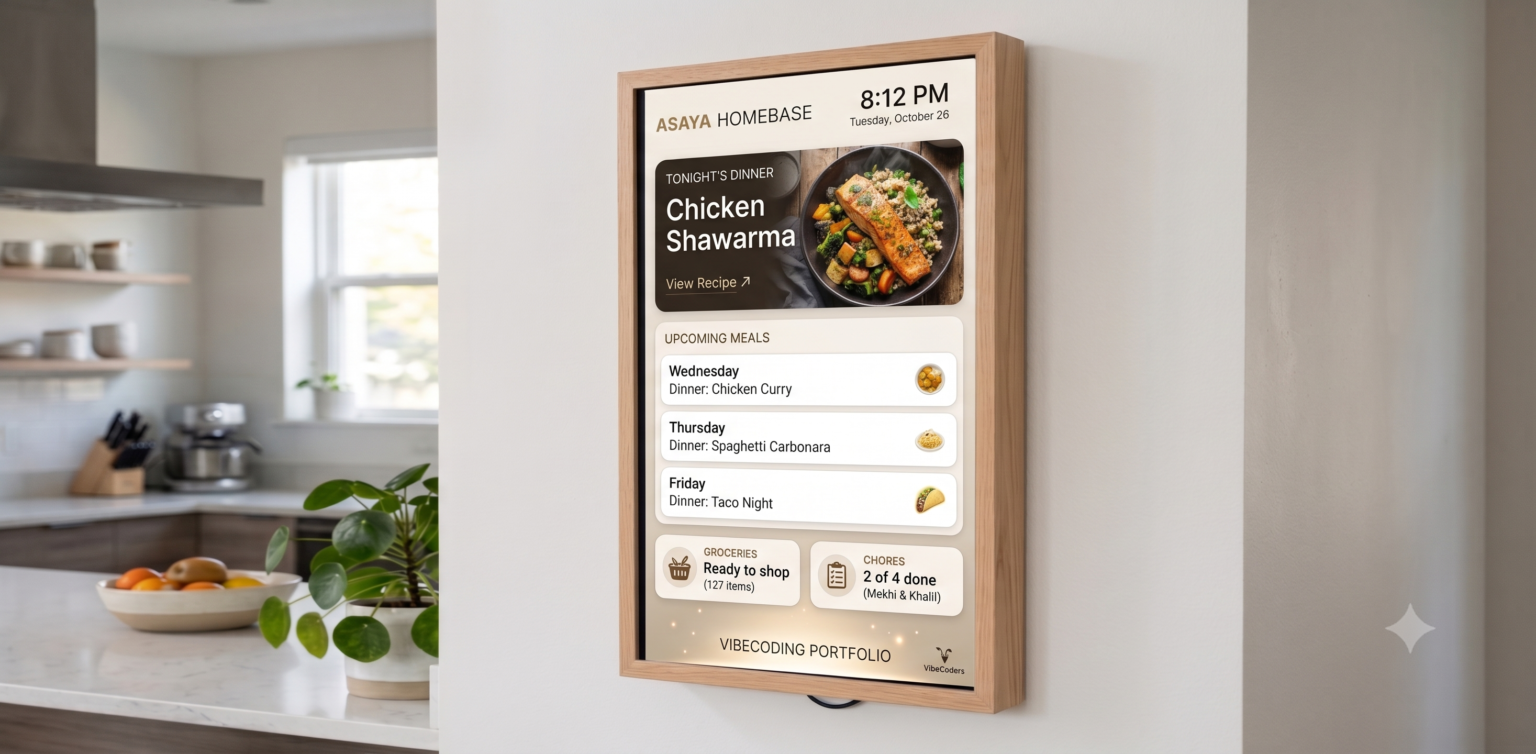
One place the whole family can see and use.
Meals, schedule, chores, and photos.
A familiar back office that works from a phone.
From household problem to working product.
The family had apps. It did not have a shared system.
Two working parents, two young boys, school, camps, sports, meals, and chores created a daily coordination problem. Information lived in separate apps, someone’s memory, or a parent’s phone.
The chore tracker exposed the deeper issue: when the system lived in an adult’s pocket, the children could not own their work. Every check-off required a handoff. Consistency turned into negotiation.
Make the household visible, calm, and easy to act on
I treated the project less like another family app and more like a piece of shared infrastructure. The interface had to work at a glance from across the room and at arm’s length for a six-year-old.
Put the day’s essential information on an always-on surface instead of behind an app icon.
Make chores tappable and progress legible so the children can complete the loop themselves.
Use Google Sheets as the back office so updates are as easy as editing a spreadsheet from a phone.
Show what matters now and let the system recede into the rhythm of the home.
Connect the small pieces that make a household run
Each module answers a recurring family question without requiring a parent to become the interface.
A rolling month of dinners turns into an actionable grocery list.
Calendar events make the day visible before anyone has to ask.
Children check off their work and see what their effort has earned.
A rotating photo frame keeps the utility screen warm and personal.
Design the chore system to run without a nightly negotiation
The interaction makes responsibility visible and closes the feedback loop immediately.
See
Each child sees the work assigned for the day.
Do
The task happens without waiting for a parent’s phone.
Confirm
A simple tap records completion on the shared screen.
Earn
Allowance progress updates in a form children understand.
Use tools the household already knows
The technical system was designed around easy administration, not technical novelty. Google services hold the household data; the application turns it into a focused shared experience.
Google workspace
Sheets for meals and chores, Calendar for the day, and Drive for family photos.
Next.js application
Server logic brings the sources together and shapes them for a glanceable interface.
Wall-mounted kiosk
A stable, touch-friendly destination for the entire family.
The right interface can change who owns the routine
Homebase KINnect worked because it moved coordination out of one person’s head and into the environment. The product did not need more features; it needed the right surface, the right visibility, and a lower-friction way for every family member to participate.